
NIST CSF 2.0 – Protect Function Deep Dive: Identity, Authentication, and Access Control (PR.AA)
If you strip most cyber incidents down to their root cause, you will usually find the same failure:
Someone—or something—had access they should not have had.
It might be:
- A compromised employee account
- An administrator with too much privilege
- A service account that was never rotated
- A vendor account that was never removed
Tools fail. Controls misfire. Alerts get missed.
But identity and access failures quietly bypass them all.
That is why PR.AA – Identity Management, Authentication, and Access Control is the first category in the NIST CSF 2.0 Protect function. It represents the moment where cybersecurity stops being abstract planning and starts becoming real enforcement.
How PR.AA Fits Into the Big Picture
Up to this point, the Identify function helped answer:
- What assets exist? (ID.AM)
- What risks matter most? (ID.RA)
- How do we learn and improve over time? (ID.IM)
The Protect function answers the next logical question:
“Now that we know what matters—how do we stop bad things from happening?”
PR.AA is the foundation of that answer.
If Identify tells you what you need to protect,
PR.AA determines who is allowed near it.
What Is PR.AA (In Simple Terms)?
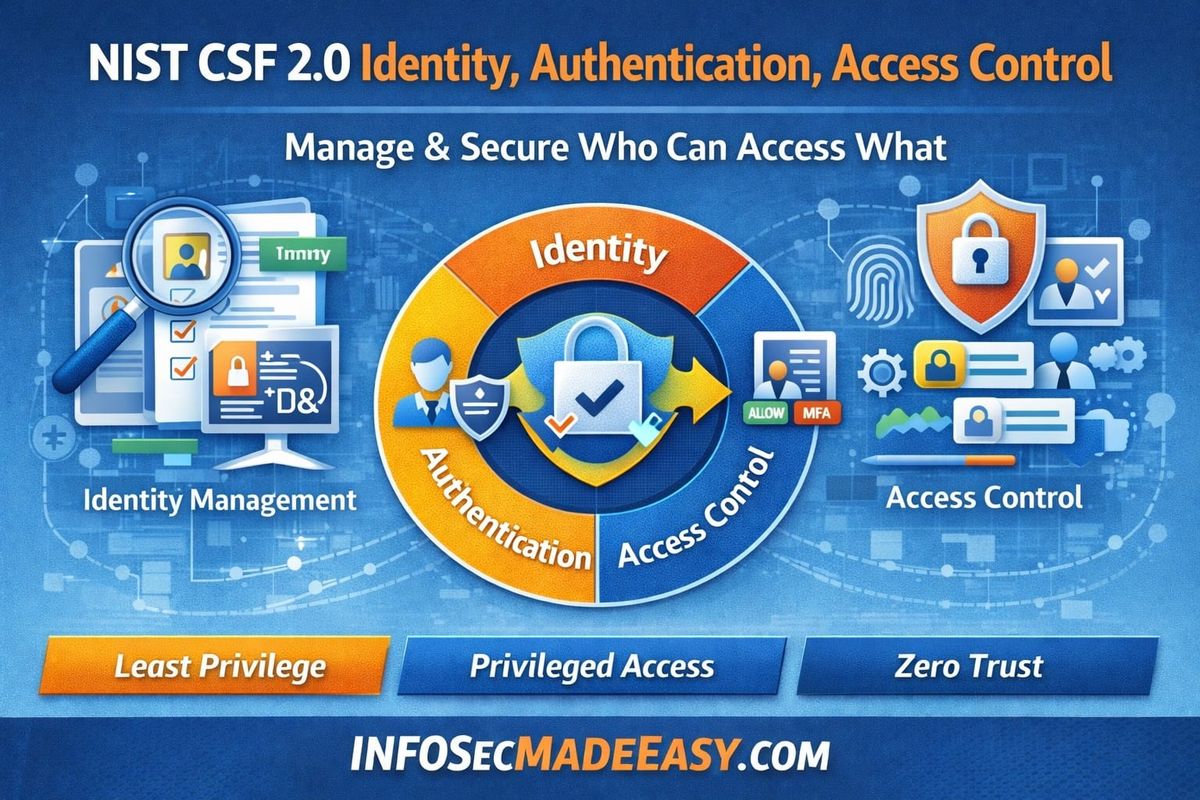
PR.AA ensures that only the right people, systems, and services can access the right things, in the right way, at the right time.
It covers three tightly related areas:
- Identity Management
Knowing who or what is requesting access - Authentication
Proving that identity is legitimate - Access Control
Deciding what that identity is allowed to do
Importantly, NIST CSF 2.0 makes it clear that identity is not just people.
Identities include:
- Employees
- Contractors
- Vendors
- Administrators
- Applications
- APIs
- Cloud workloads
- Automated services
If it can log in, connect, or authenticate—it is an identity.
Why Identity Is So Critical Today
In older environments, security relied heavily on:
- Corporate networks
- Firewalls
- Physical office locations
Those boundaries are gone.
Today:
- Users work remotely
- Applications live in the cloud
- Data is accessed through SaaS
- Vendors connect directly into environments
Because of this shift:
Identity has become the new perimeter.
Attackers no longer try to “break in” noisily.
They try to log in quietly.
Common PR.AA Mistakes (Especially in Growing Programs)
Understanding what not to do is just as important.
1. “We Have MFA, So We’re Good”
Multi-factor authentication is important—but it is not enough.
If a user:
- Has excessive access
- Retains access after changing roles
- Keeps admin rights permanently
Then MFA only protects bad decisions more securely.
2. Treating Identity as an IT Problem
Identity is often owned by IT, but access risk belongs to the business.
Security teams enforce controls.
Business leaders decide who needs access to what.
When this line blurs, privilege creep explodes.
3. Ignoring Non-Human Accounts
Service accounts and APIs often:
- Have broad permissions
- Never expire
- Are poorly monitored
These accounts are frequently involved in major breaches because they are powerful and invisible.
How to Implement PR.AA in a Clear, Practical Way
1. Start by Knowing Your Identities
At a minimum, organizations should be able to answer:
- How many identities exist?
- Which are human vs non-human?
- Which identities are privileged?
- Who owns each identity?
If an identity has no owner, it is unmanaged risk.
2. Match Authentication Strength to Risk
Not every action requires the same level of trust.
For example:
- Reading public data ≠ administering production systems
- Internal access ≠ remote access
- Temporary access ≠ permanent access
Mature programs apply stronger authentication where the impact is higher, rather than everywhere equally.
3. Enforce Least Privilege as a Habit
Least privilege means:
- Access is granted based on real business need
- Access is removed when it’s no longer needed
- Elevated access is temporary whenever possible
Think of access like keys:
- You borrow them when needed
- You return them when finished
- You don’t keep every key “just in case”
4. Control Privileged Access Carefully
Administrator and high-risk access should:
- Be limited to a small population
- Require additional approval
- Be logged and monitored
- Expire automatically
Standing admin privileges are one of the most common and dangerous weaknesses in cybersecurity programs.
5. Make Access Decisions Understandable and Auditable
Good PR.AA programs allow anyone to answer:
- Who approved this access?
- Why was it granted?
- How long is it valid?
- When was it last reviewed?
This clarity protects both the organization and the individuals involved.
Metrics That Help Everyone Understand Progress
Metrics should explain how well access is controlled, not just which tools are deployed.
Simple, Foundational Metrics
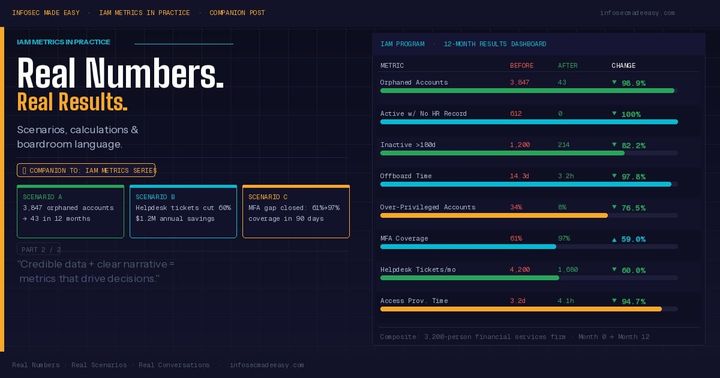
- % of users with MFA enabled
- % of privileged accounts identified
- % of identities with a documented owner
- Time to remove access after termination
These are easy to grasp and extremely informative.
Better Risk-Focused Metrics
- Number of standing privileged accounts
- Average duration of elevated access
- % of access approved by business owners
- Privilege reductions over time
These show whether risk is actually decreasing.
What “Good” Looks Like (At Any Level)
A healthy PR.AA capability means:
- Access is intentional, not accidental
- Privilege is earned, justified, and temporary
- Business owners understand their responsibility
- Identity decisions can be explained without panic
- Security enables work without becoming a blocker
For beginners, this creates clarity.
For new CISOs, it creates confidence and credibility.
Final Thoughts
You can invest in the best security tools available.
You can write the strongest policies.
You can design beautiful architectures.
But if identity and access are weak, attackers will simply walk around all of it.
NIST CSF 2.0 places PR.AA at the front of Protect because security starts with trust—and trust must be enforced.
If Identify tells you what matters,
Protect—starting with identity—decides who can touch it.


Comments ()